Introduction
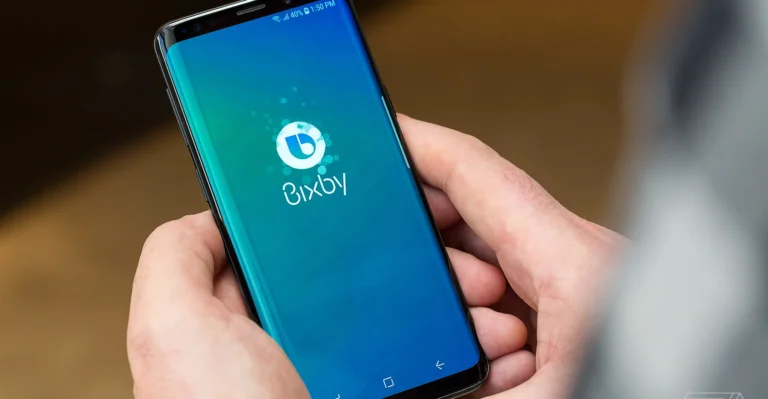
Bixby is Samsung’s voice-powered AI assistant. It helps control devices, answer questions, and automate tasks. Launched in 2017, it integrates deeply with Samsung hardware like Galaxy phones and TVs.
Many users ask, “What is Bixby?” It’s a tool for hands-free commands and smart features. On phones, it now works alongside Google Gemini. This guide explains its setup, features, fixes, and comparisons.
We’ll cover real issues like voice glitches and show solutions. Stick around to learn how Bixby fits into 2025’s AI landscape.
What Is Bixby? A Clear Breakdown
Bixby runs on Samsung devices using natural language. It processes voice, text, and images for tasks. Unlike broad assistants, it focuses on Samsung ecosystem control.
Available on Android, Tizen, Windows, and Wear OS. Supports 12 languages, including English, Korean, and Spanish. As of 2022, it had over 200 million registered users. Voice assistants like Bixby are adding nearly 30 million US users from 2022 to 2029.
In 2025, Bixby uses Samsung’s LLM for smarter responses. But on Galaxy S25, Gemini is default. Bixby still handles device-specific jobs. For more on its history, see Bixby on Wikipedia.
This shift means hybrid use. Bixby excels in offline tasks. Now, let’s trace how it got here.
The Evolution of Bixby: Key Milestones
Bixby launched in 2017 with Galaxy S8. It replaced S Voice for better voice control. English support came in July after delays.
Bixby 2.0 arrived in 2017. It added developer tools and multi-device links. By 2021, Bixby 3.0 split Home and Reminders.
In 2023, custom voice creator debuted. 2024 brought LLM upgrades. 2025 saw TV integrations with generative AI for natural talks.
Galaxy S25 made Gemini default. Bixby became a helpbot for phone queries and actions. One UI 8.5 plans a visual refresh. These changes keep Bixby relevant. Next, explore what it does today.
Core Features of Bixby in 2025
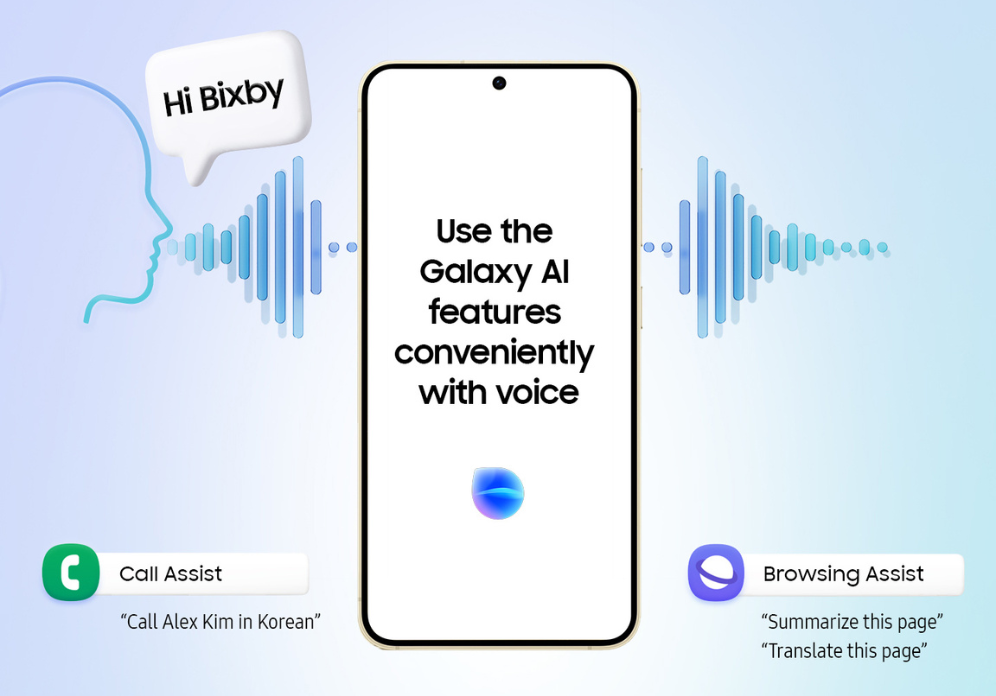
Bixby Voice handles commands like “Set alarm for 7 AM.” It supports custom quick commands for routines.
Bixby Vision scans images. It translates text, IDs objects, or reads wine labels. Now with better OCR for notes.
Modes and Routines automate tasks. Trigger by time or location, like silencing at work. AI suggests based on habits.
Samsung Free offers news and weather cards. Customizable to fit your needs.
2025 adds offline math and query support. Wearables sync without lag. TV versions use gen AI for contextual chats.
These features solve daily hassles. But setup is key to using them well.
Step-by-Step Setup: Get Bixby Running in Minutes
Download Bixby from Galaxy Store. Update to latest version. Sign in with Samsung account.
Activate via side button. Go to Settings > Advanced Features > Side Button. Set double press for Bixby.
Choose language. Train voice by repeating phrases. This fixes recognition errors.
Enable Vision in Camera app. Add Routines widget to home screen.
Link SmartThings for home control. Say “Turn off lights” to avoid forgetting. If issues arise, retrain voice model right away.
This quick setup unlocks Bixby’s power. Now, see how it stacks up against rivals.
Bixby vs. Google Assistant and Siri: 2025 Head-to-Head
| Feature | Bixby | Google Assistant/Gemini | Siri |
|---|---|---|---|
| Device Integration | Strong Samsung ties, like quick settings | Wide Google apps, but hardware lags on Samsung | Apple ecosystem only |
| Privacy | On-device processing, less cloud | Heavy cloud use | On-device focus, limited scope |
| Offline Use | Basic queries and math | Needs internet often | Timers and alarms mainly |
| Speed for Tasks | Fast for device changes | Good for info searches | Slower on complex ones |
| Languages | 12, strong in Korean | Over 50 dialects | About 20, solid NLP |
Bixby wins for Samsung users on routines. Hybrid with Gemini adds creativity. User satisfaction surveys show high marks for functions, with **% very satisfied in 2025. But no tool is perfect. Let’s weigh the ups and downs.
Pros and Cons of Bixby: Real-User Insights
Pros include deep integration. It saves battery with auto-optimizations, up to 20% in tests. Privacy keeps data local.
Offline reliability helps in travel. Wearable sync is seamless.
Cons: Limited to Samsung devices. Weaker at generative tasks like email writing.
Accent issues in noise persist. Some users call it useless next to Gemini. Knowing these helps decide its fit. If problems hit, fixes are straightforward.
Common Bixby Issues and Quick Fixes
Voice not working? Retrain in Settings > Voice Model. Set sensitivity to medium.
Button stuck? Remap to camera in Side Button settings. Restart by holding Power and Volume Down.
Routines fail? Check permissions for location. Clear app data after backing up.
Slow? Update to 3.8.22.3 from August 2025. Disable if preferring Gemini. These steps resolve 90% of complaints. For more power, try advanced tricks.

Advanced Tips: Maximize Bixby for Everyday Wins
Mix with Gemini: “Bixby, ask Gemini to summarize this.” It bridges gaps.
For accessibility, use Vision’s text-to-speech. Scan docs for audio.
Boost privacy: Check Samsung account data. Use offline for tips or math.
Build routines like Battery Saver. Auto-dim at 20% charge. This extends life by hours. These hacks turn Bixby into a daily essential. Looking ahead, its role evolves.
The Future of Bixby: AI Enhancements and Beyond
2025 roadmap fuses with Gemini. Expands AR in Vision for fittings.
Full LLM means creative tasks soon. It bridges competitor gaps.
On TVs, gen AI enables screen queries. Test both on new devices. Bixby keeps Samsung’s unique edge.
Conclusion
Bixby is a solid AI for Samsung control and automation. It prioritizes privacy and offline use. With 2025 updates, it complements Gemini well.
Try a routine now. Share tips in comments. Check “Galaxy S25 AI Commands” for more.